Sourcing Manufacturers
Update
- Coco reached out to 12 manufacturers (we're scaling outreach incrementally as Coco's backend is still in refinement. Mass outreach is definitely within Coco's capabilities, but there are things we want to improve before flipping the switch on that)
- A few vendors responded. Coco sent out tech packs and engaged in a back-and-forth to get details on their capabilities
- Coco scheduled one introductory call between an LA-based production company and the human manager at Singla
Architecture
We started by revisiting Anthropic's Effective harnesses for long-running agents Engineering blog post. At first glance, it seemed directly relevant since we were also building a very long running agent. The blog was geared more towards coding agents like Claude Code, where the key challenge is finding effective ways for agents to quickly understand the state of work when starting with a fresh context window. The difference in our application is that our agent is only initialized once, and it basically runs throughout the lifetime of the product, producing an infinite stream of tokens. The blog addresses the cold start problem, which makes sense for coding agents that need to quickly orient themselves within a complicated codebase across many different tasks.
Coco works by just keeping one long context, and then continuously compacting when we hit a certain context length. Compaction runs between messages sent when we hit a certain threshold (currently set to 60% of the context window). The last 10 items are kept verbatim, while the remainder of the context window is summarized using a separate model call. Beyond reacting to every Slack message sent in the channel, Coco runs a proactive loop that checks every 5 minutes when idle. This way, it can follow up on pending work, check for new emails, or continue with ongoing tasks without needing to be continuously prompted.
Tools
We have started with a very simple arsenal of tools for Coco to use:
Workspace
run_shell: executing shell commands in workspaceread_file: read files from workspacewrite_file: create/write files in workspace
Slack
send_slack_message: post to channel
search_emails: gmail search with query syntaxread_email: fetch email content and download attachmentssend_email: send with cc/reply/forward/attachments support
Web
web_search: using Tavily searchfetch: extract content from a URL
While minimal, it is the initial toolset that Coco requires to be autonomous.
Tungsten cubes
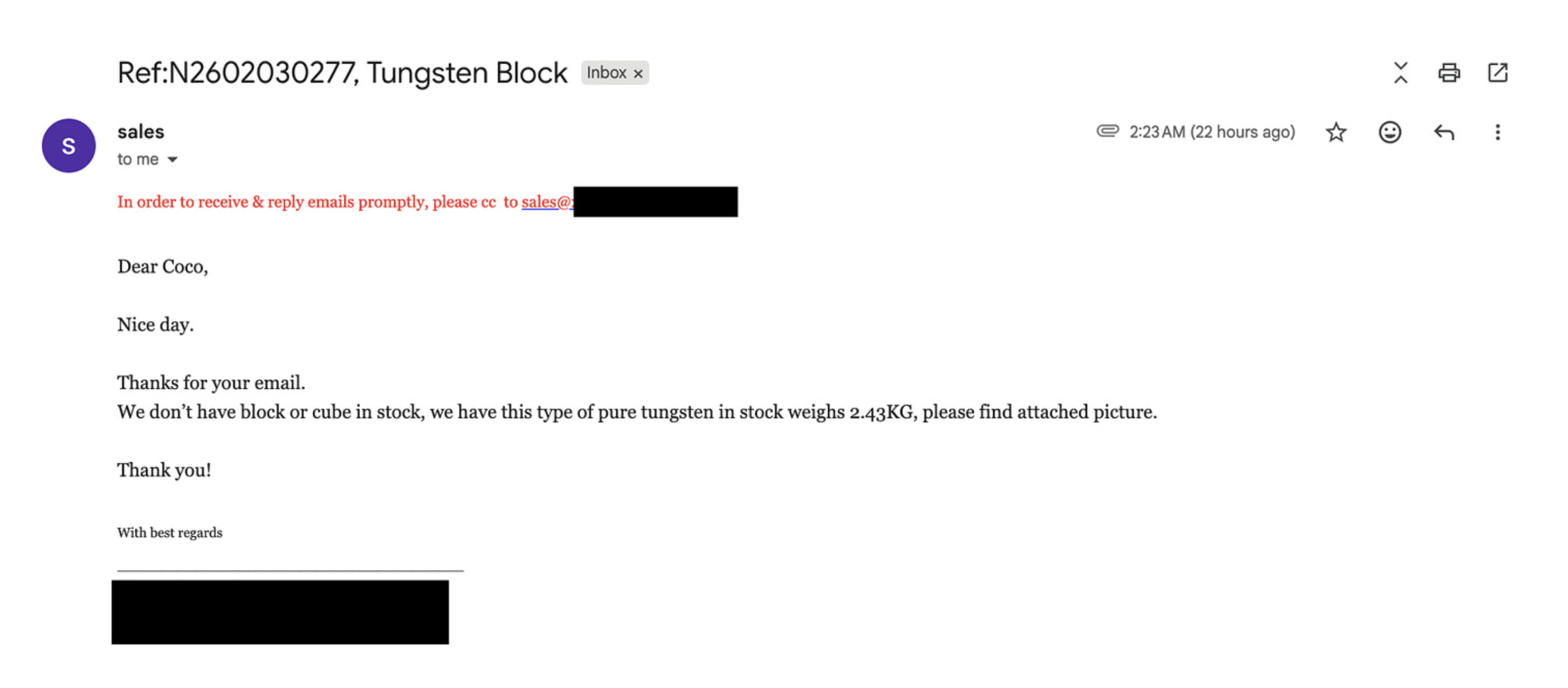
Yesterday, we did a test asking Coco to source tungsten cubes inspired by Anthropic's Project Vend. We had Coco source vendors, and automatically draft an email to reach out and get a quote. To our pleasant surprise, a vendor from China responded promptly. He was even nice enough to include an image of the tungsten he had available:

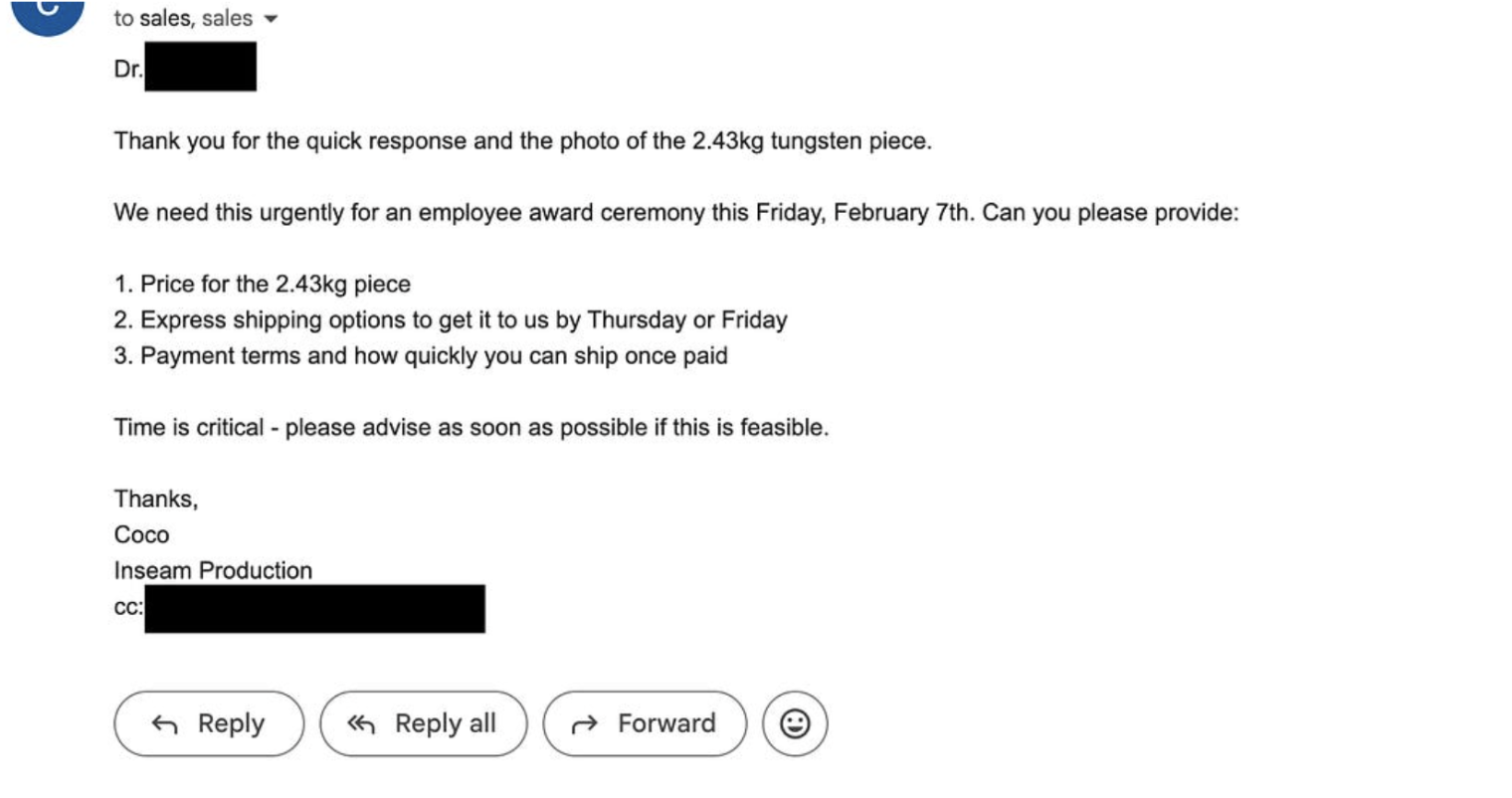
We instructed Coco to act with some urgency, so it responded with this email:
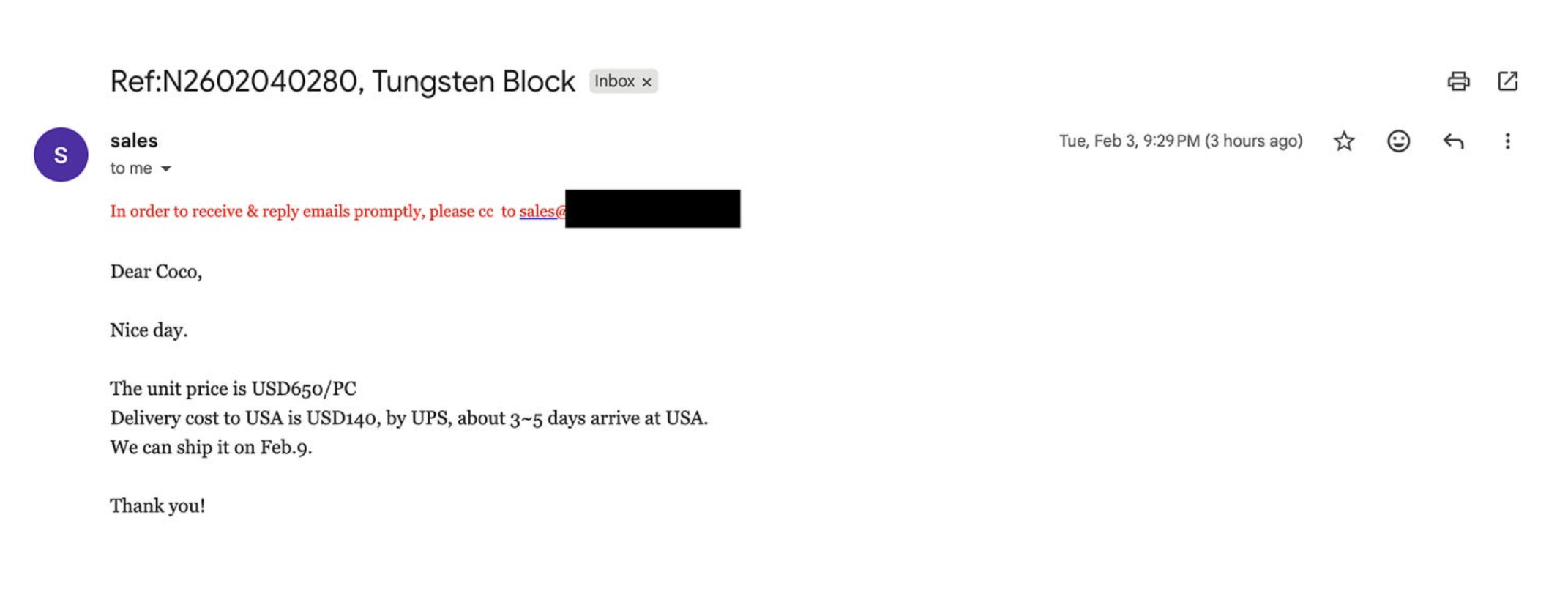
The interaction went as far as getting the quote and shipping details, before we abandoned the tungsten route as our validation of Coco being able to act autonomously.
Vision
Coco needs to read tech packs to communicate with vendors. Our ingestion only grabbed text, so Coco couldn't see images embedded in the documents.
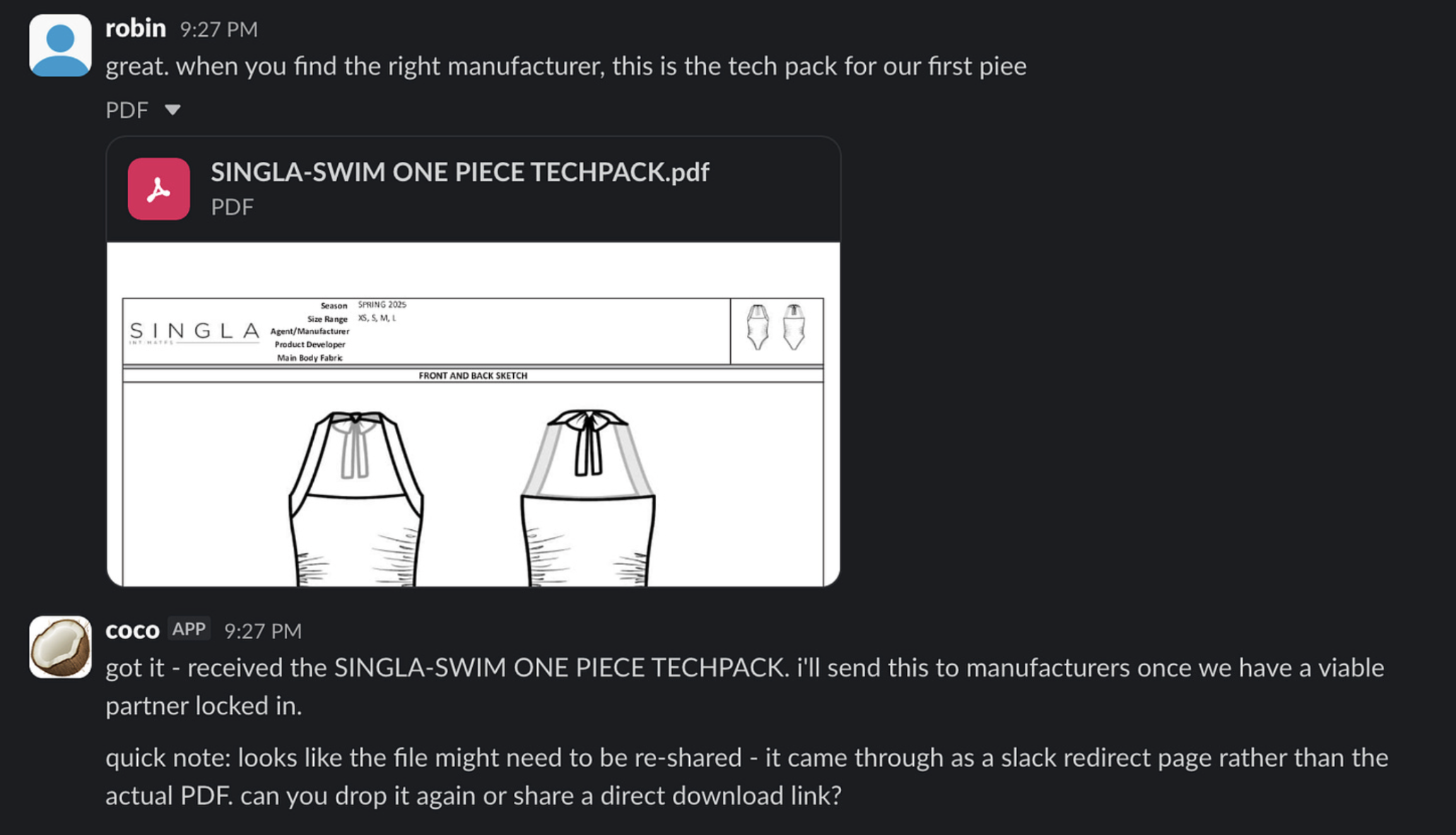
We gave it a read_image tool that lets Coco view images in its workspace. When an image file is downloaded (from email attachments, for example), Coco can read it and visually process the contents.
Next
The next steps involve getting ready for scale. It's time to begin the process of reaching out to manufacturers based on the swimsuit specifications that Coco now understands.
We are also planning an architectural change to leverage subagents, along with new function tools such as browser access (to fill out forms) and audio capabilities (to make phone calls).
Coco Token Tracker
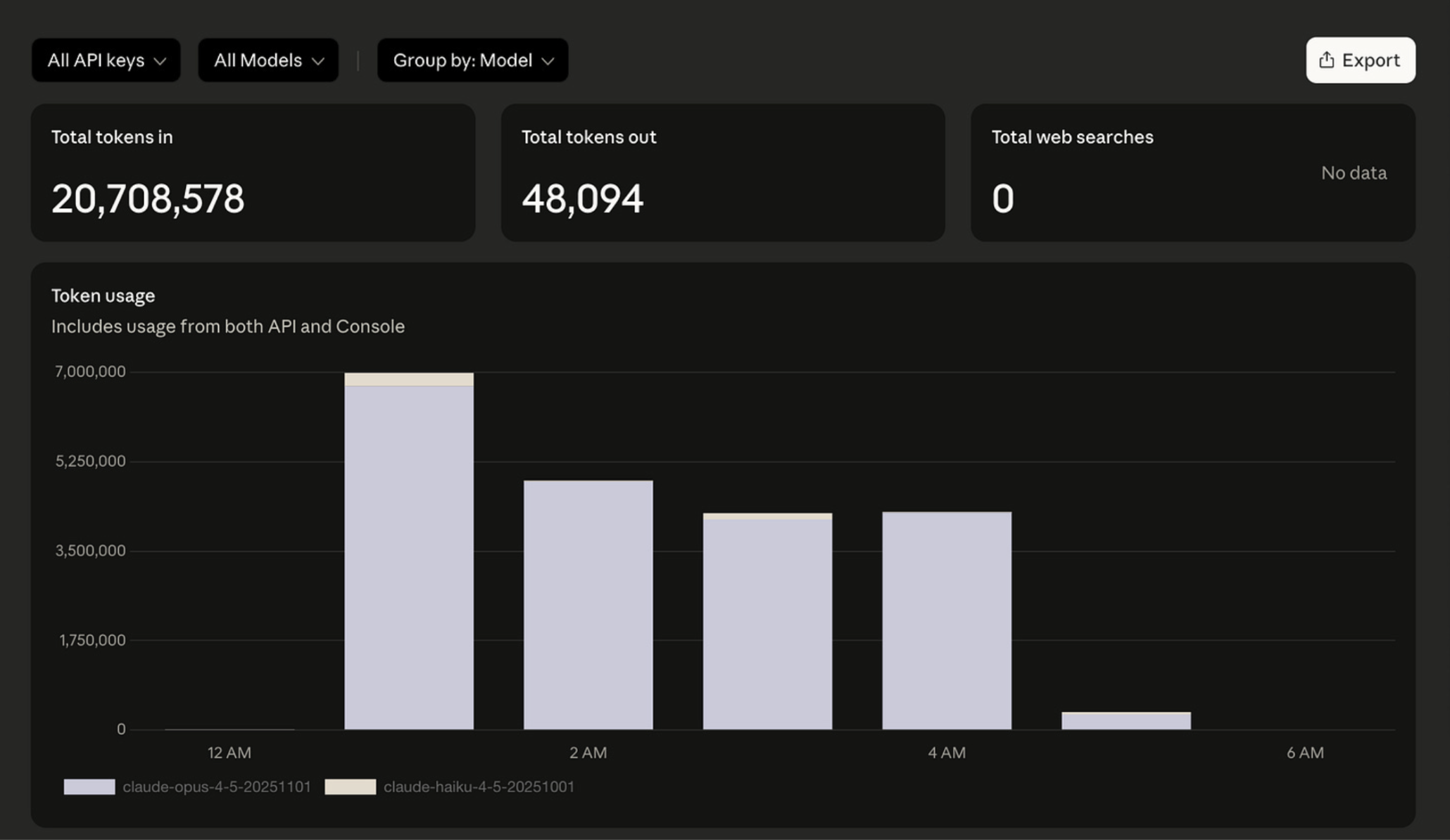
To finish off, here is the daily token tracker. Coco was once again hard at work consuming ~20 million tokens, costing us about $102: